Vellum for macOS · Early release
Speak. Keep your words on your Mac.
Vellum turns German speech into text directly in your focused text field. Dictation and optional correction run locally on your Mac. Free, without an account or subscription.
- Text where you work
- Hold ⌥Z and speak. Vellum inserts text during dictation into supported text fields. The shortcut can be changed in Settings.
- Correction is your choice
- Enable or disable local correction in Settings. With the optional model installed, ⌥⇧Z also corrects selected German text. Review the result: spelling and grammar corrections can be incomplete.
- A small presence
- A movable floating pill shows recording and processing status. Double-click it to open Vellum. Closing the main window keeps the app available in the menu bar.
- Control over your history
- Transcripts are saved locally by default. Disable transcript storage in Settings if you do not want a history. Recordings and dictated text are not uploaded for recognition or correction.
Inside Vellum
A clear view of your dictation.
The macOS app in light and dark appearance. Screenshots show the German interface. Scroll through the views or open an image at its original size.
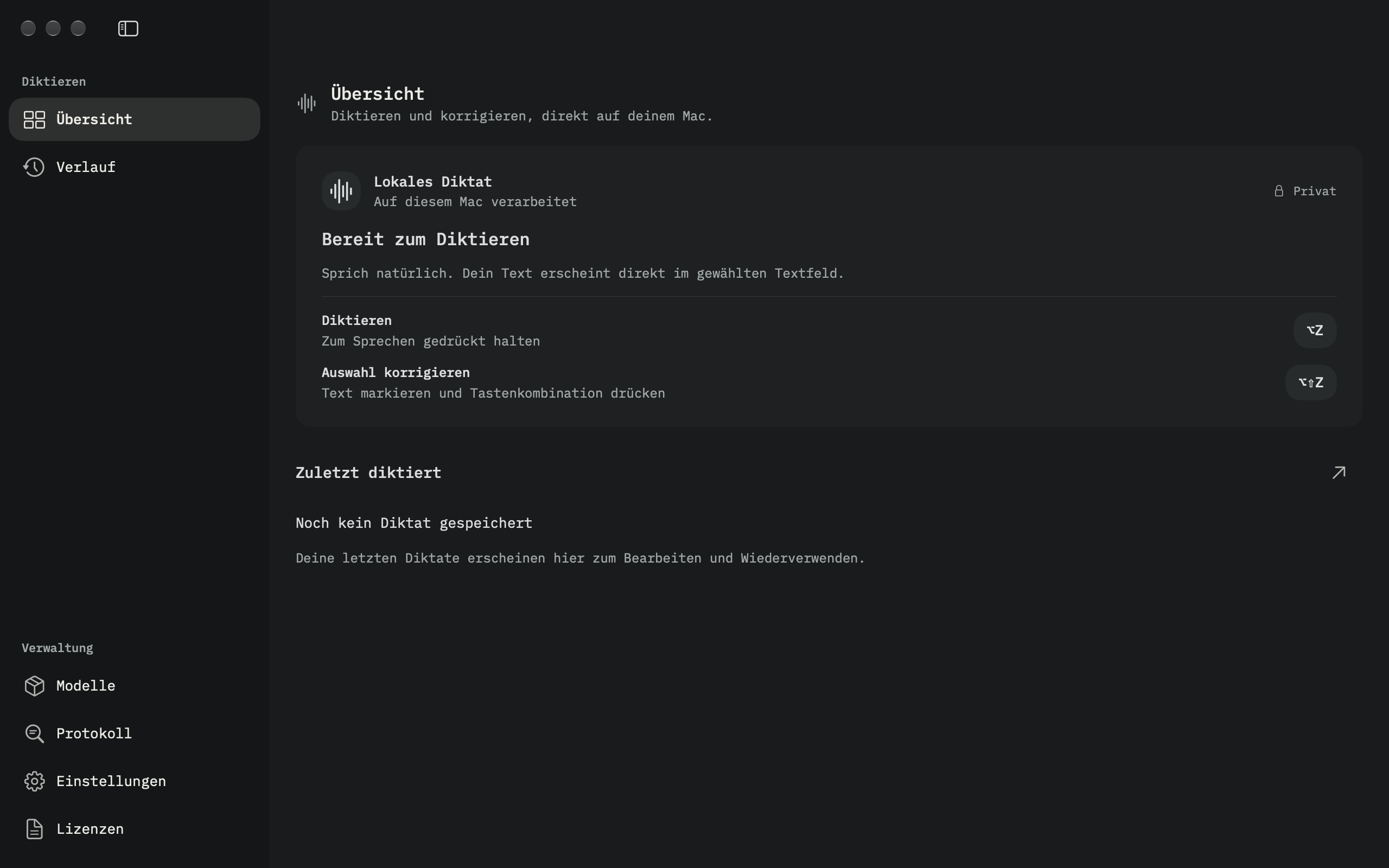
Overview
Local dictation, ⌥Z and ⌥⇧Z, and your latest transcript.
View original size ↗View original size ↗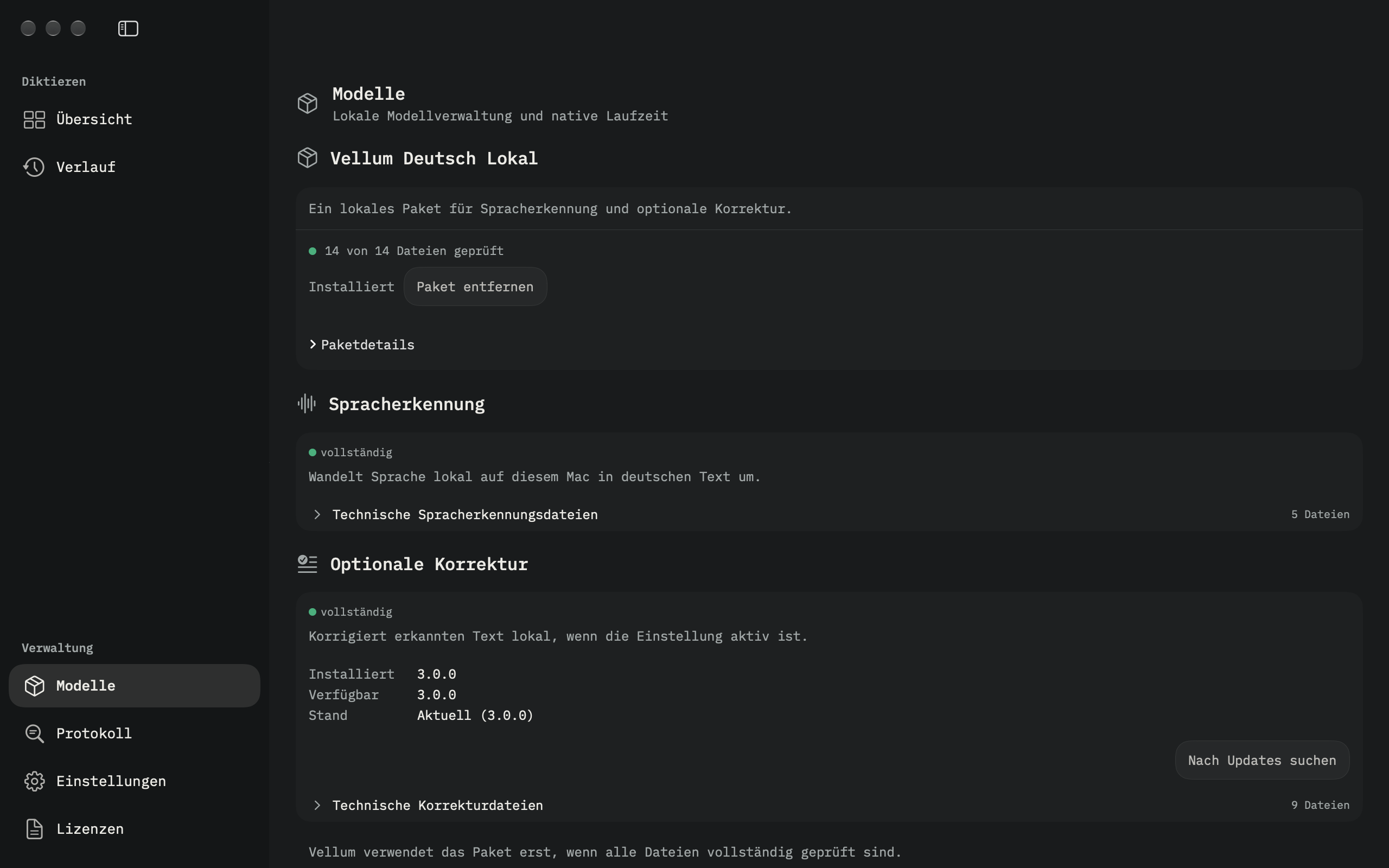
Models
Manage local speech recognition and the optional correction component.
View original size ↗View original size ↗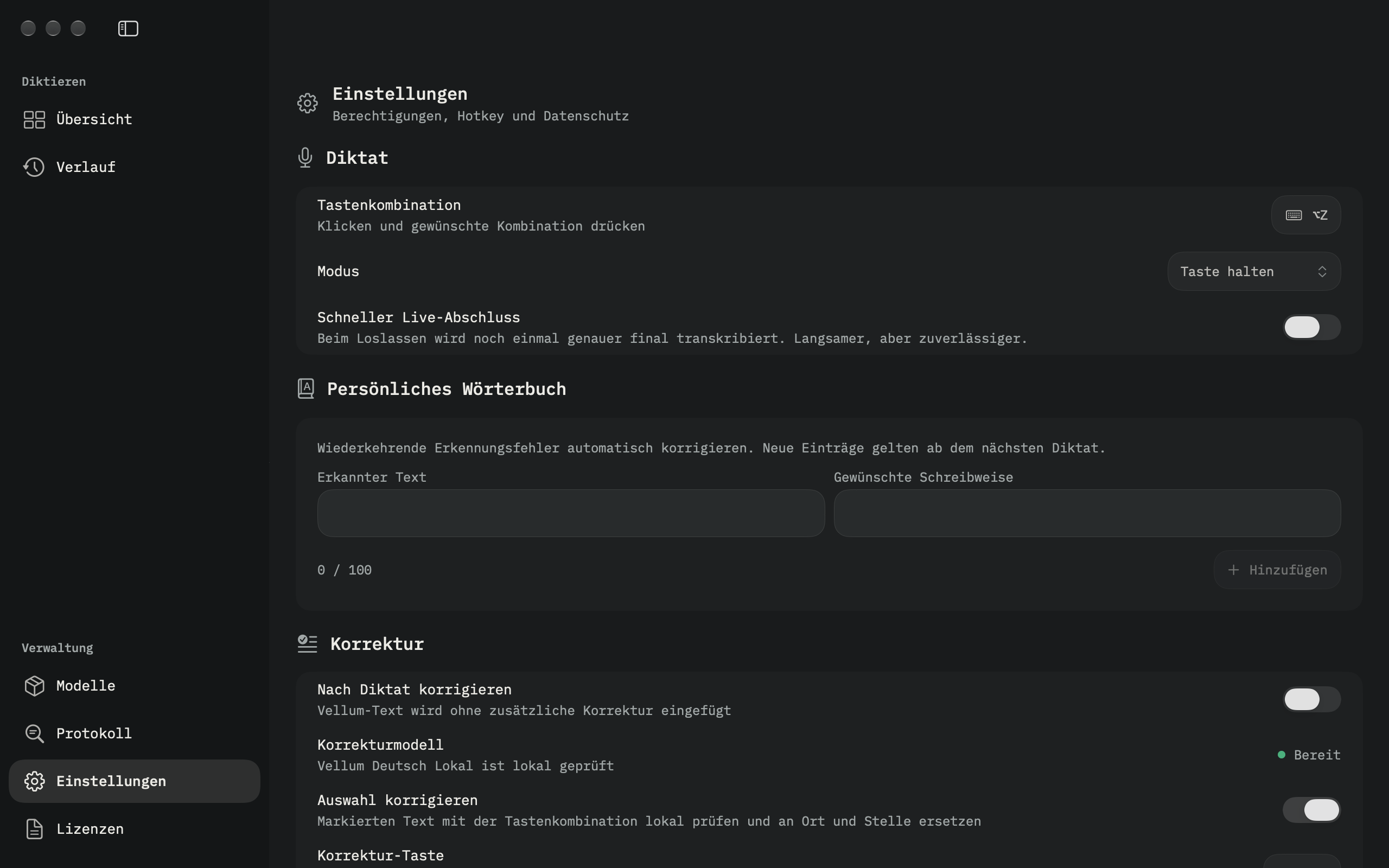
Settings
Shortcuts, fast live completion, your personal dictionary and optional correction.
View original size ↗View original size ↗Offline after the model download.
Download the speech model once in Vellum. Recognition and, with the separate correction model installed, correction run on your device, including without an internet connection. Model downloads use Hugging Face; Vellum checks the downloaded files against their SHA-256 checksums.
For work that needs discretion.
Notes for doctors and lawyers, interview drafts for journalists, research notes and everyday writing. Local processing helps keep spoken content on your Mac. Review names, numbers and specialist terms before using or sharing a transcript.
One package. Two local components.
Vellum Deutsch Lokal is the public PJ Labs ONNX package. Speech recognition is required; text correction is optional and can be enabled or disabled separately.
- Speech recognition
- German speech to text, based on the Parakeet lineage. About 671 MB. CC BY 4.0.
- Optional correction
- A German T5 correction model adapted by PJ Labs from oliverguhr/spelling-correction-german-base. About 1.69 GB. Apache 2.0.
The model card documents the original models, adaptation, evaluation and known limitations. The package remains experimental. Its test results do not guarantee transcription or correction quality for your texts.
Download for your Mac
Free early release for Apple Silicon Macs. Models are downloaded separately in the app.
- Version
- 0.1.0 · Build 1
- Released
- 2026-10-03
- Download size
- 36.08 MB
- SHA-256 checksum
- 08761285b861f78e701edf9fdc0cba24768355251738fcb309da22fec9c88903
Verify the downloaded disk image with:
shasum -a 256 ~/Downloads/Vellum-0.1.0-1-macOS-arm64.dmgGet started
- Open the disk image and drag Vellum into Applications.
- Start Vellum. Allow microphone access and Accessibility access for insertion into other apps. Follow the permission guidance in Settings.
- Download the speech model under Models. Install the correction component only if you want to use it.
- Place the cursor in an editable text field. Hold ⌥Z, speak and release the keys to finish.
This early release is locally signed, without an Apple Developer ID or Apple notarization. macOS may block the first launch. After checking the download source, use System Settings → Privacy & Security → Open Anyway if macOS offers it.