
PJ Labs · macOS · local genomics
Explore genome data.On your Mac.
From sequencing reads to variants and PDF reports. File analysis runs on your Mac; optional reference lookups may send requested rsIDs to public databases.

What you can do
Which files do you already have?
FASTQ reads
Start with the paired files from sequencing. Prepare and align reads before investigating variants.
BAM or CRAM
Your reads are already aligned. Check coverage, search for an rsID directly in a BAM or examine individual genes.
Genotype file
Load a supported genotype file and inspect the variants it contains. Available analyses depend on the file format and data.
A closer look
One rsID. Straight to your BAM.
Search a .bam file directly by rs number. Genome presents the genotype alongside read coverage and quality, without first exporting a genotype file.
Your BAM and reads stay on your Mac. Only an optional rsID lookup may send the requested identifier to NCBI.
Read the BAM search guide- Enter an rsIDThe identifier stays the starting point.
- Resolve the referenceGenome can request the rsID mapping from NCBI.
- Search local readsGenome examines the selected BAM or CRAM on your Mac.
- Review evidenceCoverage and quality remain visible with the result.
The sketch highlights the workflow only. No BAM data or search result is shown.
Explore Genome analysesAnalyses in detail
Choose the analysis that fits your data.
01Prepare sequencing reads
Start with paired FASTQ files. Genome aligns the reads to a reference genome and creates sorted, indexed BAM/CRAM files with quality information.
02Export genotype files
Create genotype files from aligned sequencing data. Choose Genome, Genome Deep or the MTHFR Genetics format to match the next processing step.
03Inspect read support
Genome Deep includes allele depths and confidence information alongside the genotype. This helps distinguish supported calls from positions that cannot be assessed.
04HLA typing
Estimate HLA types from suitable sequencing data using HLA*LA and T1K. Inspect coverage, ambiguous assignments and agreement between the tools.
05KIR analysis
Examine KIR genes and alleles with T1K. KIR results and their relationship to HLA are presented separately from HLA typing.
06LPA repeat analysis
Use KILDA to examine the KIV-2 repeat region in LPA. Technical values and unavailable results remain visible for interpretation.
07Pharmacogenetics
Examine selected pharmacogenetic genes with Aldy and variant annotations. Results are for research and education, not for medication or dosing decisions.
08Repeat expansions
Examine supported repeat loci with ExpansionHunter. Review estimated allele sizes together with read evidence and confidence intervals.
09Additional sequencing analyses
Explore mitochondrial and Y-chromosome data, EBV reads or optional microbiome analyses. Each module requires suitable input data and references.
10SNPs and score context
Search for individual rsIDs directly in BAM files or work with PGS Catalog data. Results depend on the available variants, coverage and the requirements of each analysis.
11Individual genes
Select a gene from your BAM/CRAM data. Review its coverage, variants and quality information together in one focused view.
Show analysis tools
Genome uses specialist bioinformatics tools for each task. You can inspect their versions and installation status in the app.
Core Alignment
fastp · fastqc · bwa/bwa-mem2 · minimap2 · samtools · sambamba · mosdepth · pigz
Variant & Utility
bcftools · tabix/bgzip · bedtools · Java · Picard · Python 3 · kallisto
Specialized Genomics
HLA*LA · T1K · KILDA · Nextflow · jellyfish · Aldy 4 · ExpansionHunter · Haplogrep 3
Optional Context
Kraken2 · Bracken · dbSNP · ClinVar · PGS Catalog · Genome+ Microarray Panels
App tour
A look inside the app.
Browse the views for data management, analysis and reports.

Data management
Load BAM/CRAM, check paths, read status and manage inputs for all workflows in one place.

Conversion
Prepare, check, index and convert FASTQ, BAM and CRAM locally between formats.

Analysis
Run domain-specific evaluations for mtDNA, EBV, HLA, KIR, pharmacogenetics, repeats, LPA, PGS and microarray data.

Single-gene analysis
Select individual genes, inspect coverage and variants by category, and review technical details in one targeted workflow.

SNP search
Look up rsIDs in your own genotype data, normalize, enrich and inspect them in a table.

Reports
PDF reports with data sources, quality information and a table of contents.

Tools
See and control installed tools, versions, sizes, sources, updates and removal.

References
Manage GRCh38/hs38d1, HLA*LA graph, IPD-KIR, T1K references, dbSNP/ClinVar and panels locally.

Log
Follow the progress, warnings and technical output of each run.

Help
Structured help directly in the app and online at pjlabs.dev.

Settings
App language, report language, appearance, export behavior and developer options, calmly grouped.
Reports
Results with their data basis and limitations.
Data basis and quality
PDF reports bring together the analyses available for your files. Sources, quality information and technical limitations help you interpret each result. A missing or uncertain result is not evidence of absence.
Pharmacogenetics
Pharmacogenetic results form a separate section, with their own sources and limitations. They are for research and education, not for deciding on medication, doses or treatment.
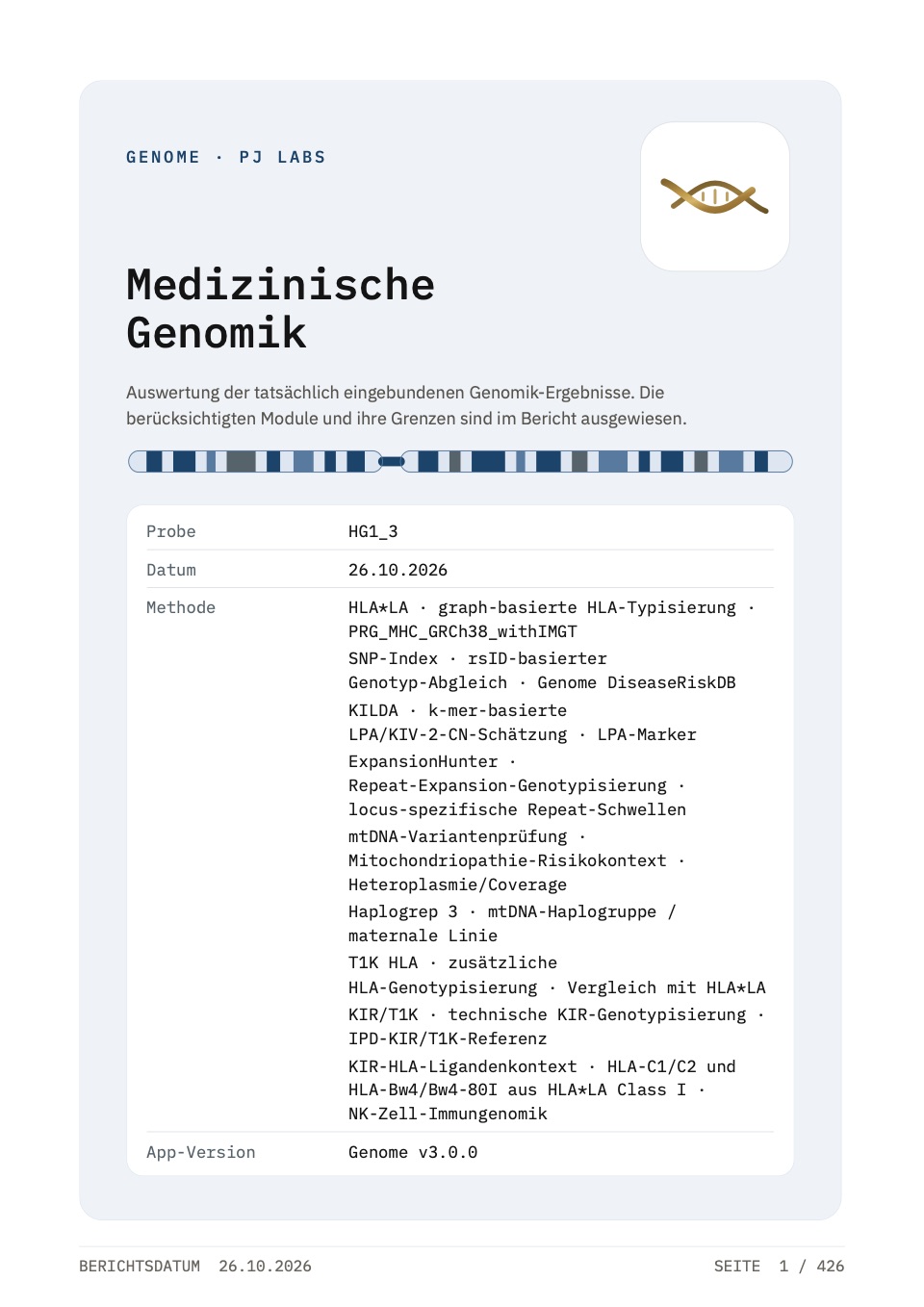
Sample report
A complete report from Genome 3.0.
Medical genomics report for HG001 (NA12878), the public reference sample from Genome in a Bottle. It shows HLA, KIR, pharmacogenetics, repeats, mtDNA and telomere content with sources and limits, exactly as Genome exports it. The report is in German. Research use only, not a diagnosis.
Report modules
HLA & T1K concordance · KIR / T1K · Pharmacogenetics & Aldy · LPA / KILDA · Repeat expansions · SNP/ClinVar/PGS context · mtDNA/Haplogrep · EBV & technical evidence
Getting started
Load. Analyse. Review.
Load your files
Start with paired FASTQ files, an existing BAM/CRAM or a supported genotype file.
Prepare the analysis
Select a workflow and check the required tools, references and input quality.
Review the results
Inspect the output and log, then create a report from the available analyses.
Before you start
What you need.
A compatible Mac
Genome requires macOS 14 Sonoma or later and Apple Silicon. Allow additional storage for reference data and intermediate files.
Suitable input data
The available analyses depend on file type, reference build and coverage. A genotype file does not provide the same information as whole-genome sequencing.
Time for setup
Tools and reference data must be downloaded before the relevant analysis can run. Setup and processing time depend on the selected workflow and your Mac.
Download
Ready to work with your files?
The download page includes the current version and installation instructions. The help explains how to prepare your first analysis.
Intended use
Research Use OnlyFor research and education, not a medical device or IVD.
Genome is a software tool for the local, technical processing and exploration of genomic raw data (FASTQ, BAM, CRAM, VCF, microarray) on your own Mac. It is aimed at researchers, bioinformaticians and technically minded people who examine their own data for scientific or educational purposes.
Genome is intended exclusively for research, informational and educational use (Research Use Only). Unless expressly stated otherwise, it is not a medical device and not an in-vitro diagnostic within the meaning of the applicable EU medical device and in-vitro diagnostic regulations, including MDR and IVDR. It is not intended to detect, diagnose, predict, monitor, prevent or treat any disease or health condition, nor to guide clinical, therapeutic or medication-dosing decisions.
Its outputs are technical evaluations and annotations from public databases, not a medical finding, not a diagnosis, not an exclusion and not individual medical advice. For health-related questions or genetic analyses for medical purposes, please consult a qualified professional (e.g. a specialist in medical genetics).